Back in 2022, LSP implementations could find errors and other diagnostics in code and send them into the editor, but editors lacked good interfaces to actually present this. The best at the time was a panel with a list of errors (not unlike what Eclipse and other IDEs would do a decade earlier).
I wanted to see errors in context instead. I found inspiration in how Rust renders compilation errors and warnings into the terminal: rendering a portion of surrounding code, and an ASCII arrow pointing to the relevant portion of code.
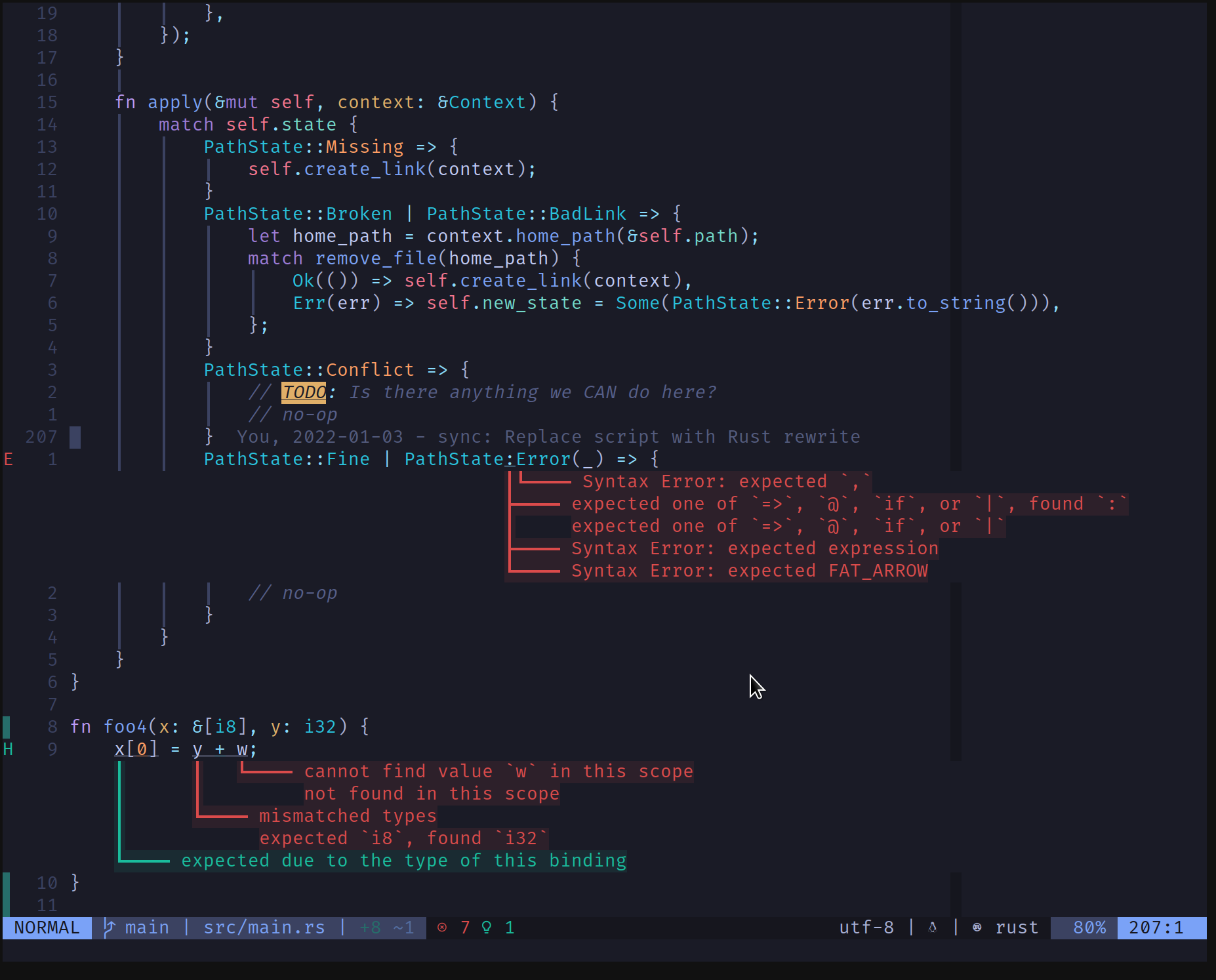
With the idea, I implemented lsp_lines.nvim, a plug-in that
renders diagnostics between lines of code (using neovim’s “virtual lines”
features) and renders ASCII arrows pointing to the code that produced the error.
A few years later, in early 2025, Helix gained this same feature. I have no idea if they found inspiration on lsp_lines.nvim, if it’s just a case of convergent evolution, or they found inspiration in Rust’s output the same way I did.
Later that month, Maria Solano ported my plugin’s feature to Neovim, making it a built-in feature. I’m immensely pleased to see this become a core Neovim feature, and enabling it is as simple as:
vim.diagnostic.config({
  virtual_lines = true,
  virtual_text = false, -- Disable LSP text.
})
Note: I also disable virtual_text, which rendered diagnostics at the end of
the line. I never found this useful: it appended diagnostic text at the end of
the line, truncated at the screen edge. Most diagnostics were never readable.
The feature was merged into Neovim and release in 0.11.0. All this before I
wrote an introduction article for lsp_lines.nvim. So this is the intro
article, and a farewell so a plug-in that served its purpose well.